There’s this funny moment every December where everyone tries to take the perfect Christmas photo. Kids half smiling, someone blinking, the tree lights refusing to cooperate. The whole thing feels a bit chaotic, like trying to wrap a gift with one hand while holding a cup of hot chocolate in the other and yet, we still want that one photo that feels warm and magical. The kind you’d actually frame or send to your family group chat without cringing.
That’s where this whole idea of a Christmas picture generator suddenly makes sense. Not as some futuristic trick, but as a way to turn regular moments into something that actually feels like the holidays.
If you’ve never tried it with PiXmas AI Christmas Pictures, let me walk you through it. Think of this less like a tutorial and more like two friends talking while trying to make something beautiful out of the photos already sitting in your camera roll.
Why do Christmas photos need something extra?
Christmas pictures aren’t just pictures. They’re little snapshots of how the season feels. Soft lights, warm colors, a bit of nostalgia mixed with excitement. And honestly, most of our real life environments don’t deliver that automatically.
The living room looks great in person, but the camera picks up weird shadows. The tree looks tiny. Someone moves. Someone sneezes. A kid runs out of frame.
You know the drill, AI comes in to fill in the scene you meant to capture. Not to make things fake, but to make the feeling match the moment.
A good Christmas photo has:
- A cozy atmosphere
- Soft or glowing lighting
- A little sparkle
- A sense of storytelling
- And a touch of holiday magic
Most people try to get all that with filters and apps, but it never really hits. AI actually does the heavy lifting for you.
What makes PiXmas feel different?
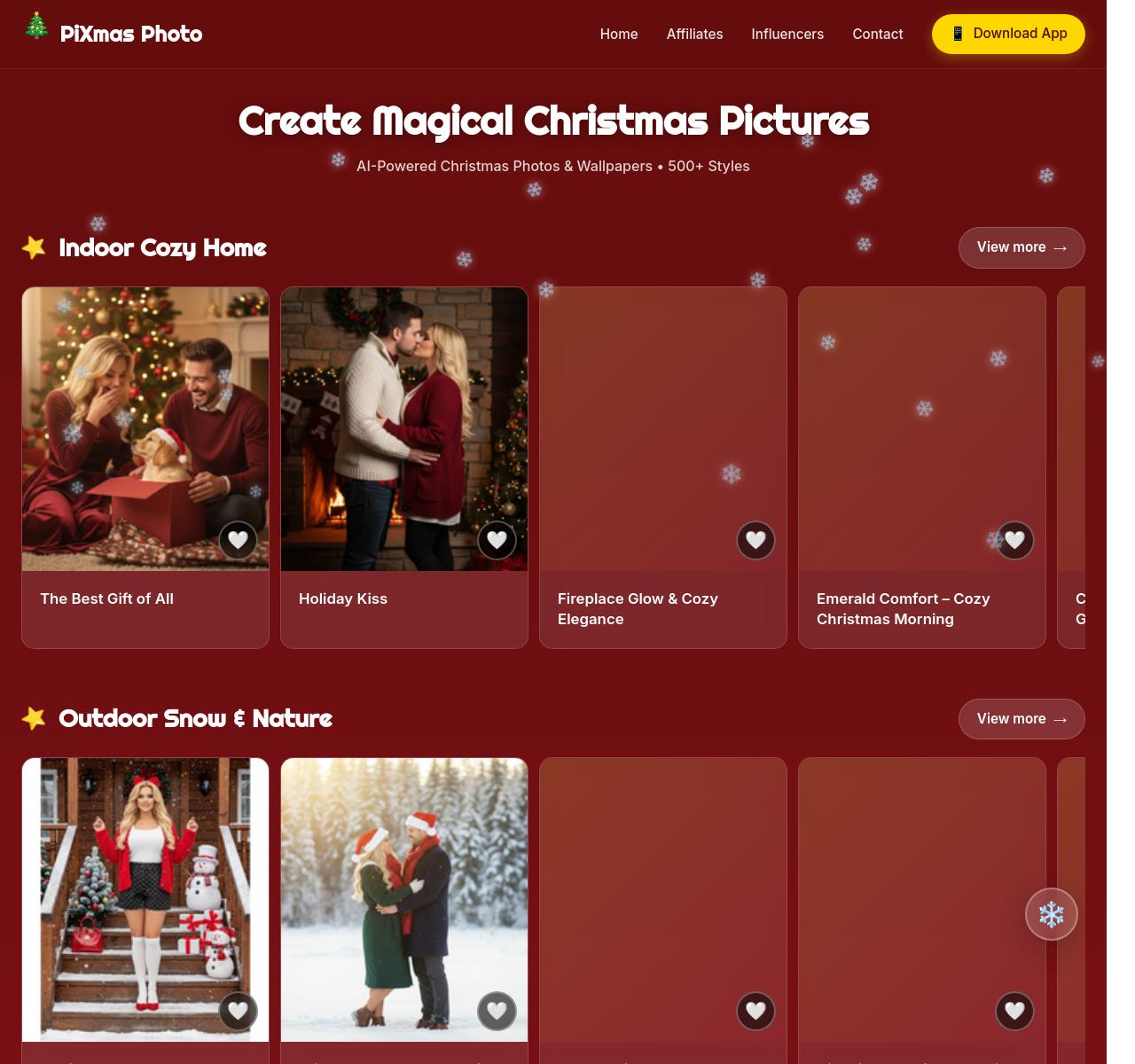
Here’s the thing. Not all generators feel welcoming. Some look like you need a design degree just to get started. PiXmas doesn’t do that. It’s simple and warm, kind of like opening a box of ornaments and remembering each one. You get a massive collection of holiday scenes, cozy rooms, snowy backgrounds, studio setups, Santa moments and cute whimsical styles and you can pick from over 500 themes. I know that sounds like hype, but once you scroll through them, you start to see tiny details in each one. Glittering lights. Soft snow. Vintage gold frames. A warm fireplace glow. It feels handcrafted.
You can use it on the web through PiXmas Christmas Pictures or on your phone with the Christmas App and it only takes a few seconds to create something that looks surprisingly professional.
How to create your perfect AI Christmas picture
Let’s keep it simple, because the whole point is that it is simple.
- Upload a photo you love
This can be literally anything. A selfie. A couple of pictures. A family photo. Your dog is dressed like a snowman. Even a quick snap you took on a random Tuesday.
- Explore the holiday themes
This part is honestly addictive. You get:
- Romantic Christmas photos
- Cozy cabin scenes
- Modern silver studio looks
- Classic red and gold holiday vibes
- Santa’s workshop
- Snowy outdoor portraits
- Kids themed sets
- Cartoon or magical styles
- Pet-focused templates
- Glam New Year aesthetics
It’s like flipping through Christmas storybooks.
- Tap once and let the AI work
A few seconds later, your picture transforms. The background changes, the lighting shifts, the mood becomes richer. But your face stays natural. Your expressions stay yours. It just looks… elevated.
- Try a few variations
Sometimes the first one feels perfect. Other times you want something brighter or softer, something snowy or something with glittering lights. You can try dozens without losing the original photo.
- Save your favorites
People use these for all sorts of moments:
- Holiday cards
- Instagram posts
- WhatsApp profile photos
- Family albums
- Couple photos
- Gifts
- Kids memories
- Year end recap posts
It’s the kind of thing that makes people smile when they see it.
Why people love using Christmas picture generators now
This isn’t about being fake. It’s about capturing a feeling we don’t always know how to recreate in real life. Think of it like lighting a candle or playing Christmas music. You’re setting the mood.
You take a basic photo, one that feels a bit flat or rushed, and suddenly it looks like something taken in a warm studio with perfect lighting and holiday decorations everywhere.
And the cool part is that it works just as well for:
- One person
- Couples
- Families
- Kids
- Pets
- Friends
- Groups
- Even long distance Christmas greetings
The AI adapts to each person naturally, which is surprisingly hard to find in other apps.
Where these AI Christmas photos shine the most
I love the small moments, the ones you would normally skip posting. That picture where your kid is making a silly face. Or where you and your partner are half laughing. Or when the dog is staring into the camera like it’s confused. When you place those photos into a beautiful Christmas setting, something clicks. It becomes a memory instead of just another snapshot.
People use these images for:
- Digital Christmas cards
- Creative holiday announcements
- Couple traditions
- Matching Christmas profiles
- Holiday countdown posts
- Printed gifts
- Scrapbooks
- Grandparent presents
- Office holiday greetings
And honestly, they make amazing last-minute gifts too.
Try it and see what your moments turn into
The best thing about Christmas picture generators is how effortless they feel. No setup, no complicated editing, no perfect lighting required. Just a photo and a bit of curiosity. Grab a photo you already have. Let the AI wrap it in a bit of holiday magic. See what comes out. You might surprise yourself.