Many postpaid users believe their SIM will always work because it is linked to a billing account. However, during sim registration globe, even postpaid SIM cards can face registration failure. When this happens, users may suddenly lose service or receive warnings from Globe. This article explains, in very simple words, how to activate a postpaid Globe SIM card after registration failed, what causes the problem, and how you can fix it step by step without stress.
What Is a Postpaid Globe SIM?
A postpaid Globe SIM is a SIM card connected to a monthly plan. Instead of loading credits, users receive a bill at the end of the month. These SIMs are usually linked to a Globe account, making people think registration problems will not affect them.
But this is not true. Postpaid SIMs must also be registered, just like prepaid SIMs.
Why Postpaid Globe SIM Registration Can Fail
Even though postpaid SIMs are linked to an account, registration can still fail for many reasons.
Common reasons include:
- Missing or outdated personal details
- ID verification issues
- Mismatch between account and ID
- Incomplete registration submission
- System or network errors
Most of these issues are fixable.
What Happens When Postpaid SIM Registration Fails?
If registration fails, Globe may take action to follow government rules.
Possible effects include:
- Temporary service restriction
- Outgoing calls blocked
- Mobile data disabled
- Warning messages from Globe
In most cases, Globe gives time to fix the issue before full deactivation.
Can a Postpaid Globe SIM Be Activated Again After Failure?
Yes, in most cases.
Postpaid SIMs are easier to fix compared to prepaid SIMs because:
- They are linked to a Globe account
- User identity is already recorded
- Globe can verify details faster
However, action must be taken quickly.
Signs Your Postpaid SIM Needs Activation
You may notice:
- Cannot make outgoing calls
- Data not working
- Messages saying “SIM not registered.”
- Service interruptions
These are signs that activation is needed.
What You Need Before Activating a Postpaid Globe SIM
Prepare the following:
- Your postpaid Globe SIM
- Your phone
- Stable internet connection
- Valid government ID
- Account holder information
Having these ready makes the process smooth.
Step-by-Step: How to Activate Postpaid Globe SIM Card After Registration Failed
Follow these steps carefully.
Step 1: Check Your SIM Registration Status
First, confirm the status.
- Visit the official Globe SIM registration website
- Enter your postpaid mobile number
- Verify using OTP
- Check the registration status
If it shows Failed, Pending, or Not Registered, continue to the next step.
Step 2: Re-Submit SIM Registration Online
Even for postpaid users, re-registration may be required.
How to do it:
- Open the Globe SIM registration page
- Enter your postpaid number
- Receive and enter OTP
- Fill in personal details exactly as on your ID
- Upload a clear ID photo
- Review all information
- Submit the form
Be extra careful with spelling and dates.
Step 3: Use the Same Details as Your Globe Account
This step is very important.
Make sure:
- Name matches the Globe account holder
- Date of birth is correct
- Address matches records
Mismatched details are a major reason for failure.
Step 4: Wait for Approval
After submitting:
- Status may show “Pending”
- Review may take hours or days
Do not submit multiple times quickly. This can cause delays.
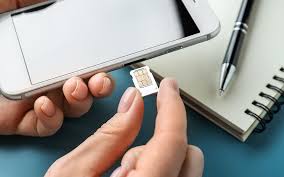
Step 5: Restart Your Phone After Approval
Once the status changes to Registered:
- Turn off your phone
- Remove the SIM
- Wait 1–2 minutes
- Insert SIM again
- Turn the phone on
This helps the network refresh.
Step 6: Test Your Services
After restart:
- Make a test call
- Send an SMS
- Turn on mobile data
If everything works, your SIM is activated.
What If Online Activation Does Not Work?
If services are still blocked, try the following.
Option 1: Contact Globe Customer Support
Globe support can check your account and SIM status.
Prepare:
- Postpaid mobile number
- Valid ID
- Account holder name
Explain that registration failed and activation is needed.
Option 2: Visit a Globe Store (Recommended)
For postpaid SIMs, visiting a Globe store is often the fastest solution.
Bring:
- Your phone
- Postpaid SIM card
- Valid government ID
- Any account documents (if available)
Globe staff can manually verify and activate your SIM.
Can Globe Activate a Postpaid SIM Without Re-Registration?
Sometimes yes, but only if:
- Your registration is already submitted
- Only activation is pending
- Details are correct
However, in most cases, successful registration is required first.
How Long Does Postpaid SIM Activation Take?
Activation time varies:
- Some SIMs activate within minutes
- Others may take a few hours
- Complex cases may take 1–2 days
Store visits often speed up the process.
What If the SIM Was Blocked for a Long Time?
If the SIM was blocked for too long:
- Activation may be delayed
- Account verification may be required
- In rare cases, SIM replacement may be needed
Early action prevents these issues.
Will You Lose Your Postpaid Number?
In most cases, no, as long as:
- The account is active
- You act quickly
- You verify your identity
Postpaid numbers are easier to protect than prepaid ones.
Can Globe Replace a Postpaid SIM?
Yes. If activation fails due to SIM damage or long inactivity, Globe may offer a SIM replacement while keeping the same number.
This is usually done at a Globe store.
Common Mistakes to Avoid During Activation
Avoid these mistakes:
- Using a different name than the account holder
- Uploading blurry ID photos
- Ignoring Globe messages
- Waiting too long to fix the issue
These cause delays or rejection.
How to Know Your Postpaid SIM Is Fully Activated
Your SIM is fully activated if:
- Outgoing calls work
- SMS works
- Mobile data is active
- No warning messages appear
This means activation is complete.
Is It Safe to Fix Postpaid SIM Registration Online?
Yes, as long as you:
- Use the official Globe website
- Do not share OTP
- Avoid fake links
Globe will never ask for OTP through calls or social media.
Difference Between Prepaid and Postpaid Activation After Failure
| Prepaid SIM | Postpaid SIM |
| May lose number faster | Number easier to recover |
| Online only in many cases | Store support available |
| Load may be lost | Account balance protected |
Both still require proper registration.
What If the Postpaid SIM Is Under Someone Else’s Name?
If the SIM is under another person’s name:
- That person must complete registration
- Their ID is required
- Activation cannot be done without them
Globe follows strict ownership rules.
What If the SIM Belongs to a Business Account?
For business postpaid SIMs:
- Company documents may be required
- Authorized representative must verify
- Activation may take longer
Visiting a Globe business center is best.
Tips to Avoid Postpaid SIM Registration Problems
- Register early
- Keep account details updated
- Use clear documents
- Save confirmation messages
- Respond to Globe notices quickly
These steps prevent future issues.
Final Thoughts
A failed registration does not mean your postpaid Globe SIM is lost forever. In most cases, activation is possible once the issue is fixed. sim registration globe rules apply to everyone, including postpaid users, but Globe provides support to help you correct mistakes.
The key is to act quickly, use accurate information, and visit a Globe store if needed. With the right steps, your postpaid SIM can be activated again and continue working without problems.